


family locator - Locator 24
4.4297.00 Reviews
App Specs
- Version
- 2.7.46
- Updated On
- License
- Free
- Downloads
- 1,000,000+
- Developer
- Mobile Software House
- Categories
- Parenting
- Platform
- Android, iOS
Screenshots
 Analysis by AppCompare
I’d approach Family Locator - Locator 24 as a practical way to check a family member’s location, not as a substitute for calling or agreeing on a plan. That distinction matters: a map can ease the uncertainty of a late arrival, but it cannot explain why someone has stopped moving or guarantee that a phone is reachable. Used with everyone’s understanding, location sharing can be reassuring without turning every ordinary trip into a check-up.
Location sharing works best with clear expectations
Before inviting anyone, I’d talk through when and why the family wants to share locations. A teenager may be comfortable with a check-in on the way home from school but not with a parent watching every errand. Agreeing on that boundary first can prevent a useful safety tool from feeling like surveillance. I’d also make sure each person knows how to pause sharing or ask for help, rather than assuming everyone interprets the map in the same way.
A useful habit is to treat a location as a clue, not a verdict. Phones can lose signal, run low on battery, or be left behind; a map point may not answer the question a worried parent is really asking. If a location looks unexpected, I’d try a calm message or call before drawing conclusions. That keeps the app in its proper role: helping a family coordinate, rather than creating certainty it cannot promise.
Small routines make the map more useful
Families can get more value by choosing a few places that genuinely matter, such as home or a regular pickup point, instead of marking every destination. Too many alerts can become background noise, and then the notification that matters is easier to overlook. I’d start with one or two familiar zones, see whether their alerts fit the household’s routine, and adjust only if they solve a real problem.
For a child who walks a familiar route, the point is not to watch each step. It is to make the arrival check less disruptive: a parent can notice the relevant zone notification and avoid repeated “where are you?” calls. If the family’s schedule changes, a short message still provides context that a map cannot. The combination is more sensible than expecting either tool to handle everything.
A Handy Tool for Modern Families
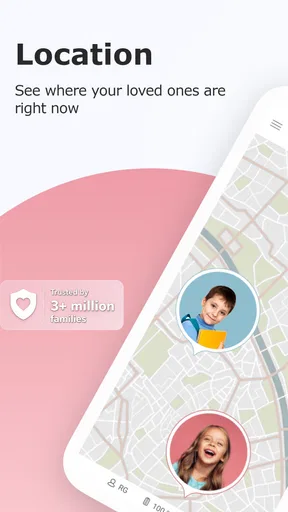
So, what’s the big deal about Family Locator - Locator 24? It’s all about the features, my friend. The app uses GPS technology to provide real-time location updates of your loved ones. You can see exactly where your family members are on a map, which is incredibly reassuring, especially if you have teenagers who are just starting to spread their wings.
Setting it up is a breeze. Once you’ve downloaded the app, you just need to invite your family members to join your circle. They accept the invite, and boom, you’re all connected. It’s like having a personal family network right in your pocket. Plus, the app is available on both Android and iOS, so no one gets left out.
Worth Reading Before You Choose

Flipboard Shows What News Apps Must Do Beyond the Feed

Switching to Android Auto Means Rethinking Your Driving Routine

Google Calendar Makes a Crowded Week Easier to Manage

Ludo King Makes the Most of the Minutes Between Plans

Baby Panda World Brings Quick Play to Modern Phones, but Its Game Library Feels Busy

ESPN’s Live Game View Makes Following Close Games Easier
Stay Connected, Stay Safe
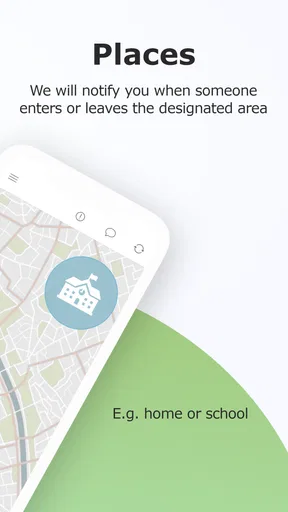
One of the standout features is the Geofencing option. You can set up specific zones on the map, like your home, school, or the local park. If someone enters or leaves a zone, you receive an instant notification. It’s like having a virtual boundary, making sure everyone is where they’re supposed to be.
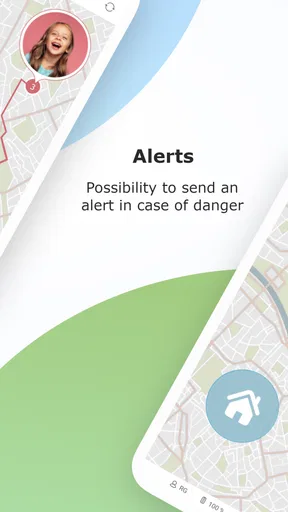
And let’s not forget about the app’s emergency feature. If any family member feels unsafe, they can send an SOS alert with their exact location. It’s a small button with a big impact, ensuring help is just a tap away.
Easy on the Eyes and the Battery
Now, I’m all about apps that don’t drain my phone’s battery, and this one passes the test. The developers have designed it to be light on resources, so you’re not constantly reaching for your charger. Plus, the interface is clean and intuitive, with clear icons and a straightforward layout. It’s easy to see where everyone is at a glance.
The app also respects privacy, which is a huge plus. You can control who sees your location and when, and there’s no tracking when you choose to go off the grid. It’s all about giving users control, and I appreciate that.
Creating a Sense of Community
One thing I really love about Family Locator - Locator 24 is how it fosters communication. You can send messages directly within the app, making it a one-stop-shop for keeping in touch with your family. Whether it’s a quick “I’m on my way” or a “Can you pick up milk?” you don’t have to switch to another app. It’s all right there.
The app also offers location sharing for events. Planning a family gathering? Share the event location with everyone, and let the app do its magic. It’s these little touches that make life a bit easier and more connected.
Worth a Try?
In my opinion, Family Locator - Locator 24 is a must-have for any family looking to enhance their communication and safety. The app combines practicality with peace of mind, and honestly, who doesn’t need a bit more of that?
Whether it’s keeping track of your kids, ensuring your spouse made it home, or just staying in touch, this app covers all bases. It’s free to download, with options for in-app purchases if you want to unlock additional features, but even the basic version is packed with useful tools.
If you’re curious and want to give it a whirl, you can find Family Locator - Locator 24 on both the Google Play Store and the Apple App Store. Go ahead, give it a shot and let me know what you think!
Where it fits among family safety options
Compared with texting “I’m here” or arranging a call at the end of a journey, a family locator can reduce the number of check-ins needed. Its map and zone alerts are most useful when several people share a routine and want a quick way to confirm arrivals. A messaging app is still better for explaining a delay, while a phone call is better when a situation needs a conversation. I see location sharing as a supplement to those familiar options, not a reason to abandon them.
It also differs from a dedicated child-focused device: this approach depends on family members having compatible phones and taking part in the circle. That makes it convenient for households already using smartphones, but less suitable for a young child who does not carry one. For that situation, a parent may prefer an agreed pickup plan or a device designed for a child, rather than expecting a phone app to solve the practical problem.
A realistic school-day routine
Picture a parent finishing work while a teenager walks home from an after-school activity. The parent can glance at the map instead of sending several messages, then use a zone alert as a simple arrival cue. If the student stays late or takes another route, a quick in-app message supplies the missing context. The benefit is not that the parent knows every detail; it is that the family can coordinate the one part of the trip that tends to cause uncertainty.
For a weekend gathering, event location sharing can help relatives find the meeting place without forwarding the same address repeatedly. I’d still send clear directions to anyone unfamiliar with the area, because sharing a destination does not automatically explain parking, entrances, or where to meet once people arrive. That small bit of planning keeps the app helpful instead of asking it to do more than location sharing can do.
What to check before relying on alerts
Notifications only help if they arrive at a useful moment and are noticed. I’d test the chosen zones during an ordinary trip with the family, then decide whether the alerts are timely enough for the household’s needs. If a boundary produces frequent notifications during normal movement, it may be too broad or poorly suited to the routine. A few relevant alerts are more practical than a stream that everyone learns to ignore.
Battery life and location quality are also shared responsibilities. The original experience I had was light on battery, but any location app depends on a working, charged phone and the device’s ability to report its position. I would not make an app the only safety plan for a long outing. A charged phone, a known route, and a way to contact one another remain sensible even when the map is available.
Families should also discuss privacy as the circle changes. A location-sharing arrangement that feels comfortable among parents and children may not feel right for every relative or friend. Invite only people who need access, and revisit the arrangement when circumstances change. The useful question is not simply whether sharing is possible, but whether each person understands who can see them and agrees to it.
Who is likely to appreciate it
I think the app suits families with older children who travel independently, partners coordinating commutes, and relatives who meet up often. It is especially handy when the same arrival points come up repeatedly, since zone alerts can make routine check-ins less hands-on. Mobile Software House develops the app, which sits in the parenting category and is rated for Everyone. It is free to download, though optional in-app purchases range from $3.49 to $59.99 per item.
It may be a poor fit for someone who wants a private, individual navigation tool rather than shared family visibility, or for a household that does not want ongoing location sharing. People who need turn-by-turn directions, a detailed travel log, or a professional monitoring service should look for an option built specifically around those needs. I would also skip it if family members are not willing to participate; location features work best when the arrangement is mutual, not imposed.
What the download details tell me
The app has an average rating of 4.4 from around 44,000 ratings, and it has been installed over a million times. It first appeared on October 29, 2018; version 2.7.46 supports devices running Android 6.0 or later. Those details make it a familiar, established choice for many Android users, while its availability on iOS also makes it workable in mixed-device families.
The free download gives families a way to try the basic experience before deciding whether optional purchases are worth considering. I’d begin by testing the core location and alert routine rather than buying anything immediately: first establish whether everyone can join, whether the map is useful on your usual routes, and whether the notifications fit your day. That trial tells you more about household fit than a list of features can.
My practical take
For me, the strongest reason to try this app is the combination of a shared map and arrival-zone alerts. It can make an ordinary school run or commute easier to coordinate, especially when a family agrees on a few clear boundaries and keeps communication open. The SOS option may add reassurance, but I would still make sure everyone knows what to do in an emergency rather than treating a button as a complete response plan.
Overall, I’d recommend it to families who want a straightforward way to coordinate location sharing and are comfortable discussing privacy together. I would not recommend it as a replacement for trust, direct communication, or a reliable safety plan. Its value depends on using the map with common sense: share only with the right people, keep alerts focused, and remember that a phone’s location is useful context—not the whole story.
Pros
- Easy setup with user-friendly interface.
- Real-time location tracking is accurate.
- Battery-saving mode extends phone life.
- Allows geofencing for safety alerts.
- Supports group chat for easy communication.
Cons
- Requires constant internet connection.
- Some features are locked behind paywalls.
- Location updates can be delayed at times.
- Can drain battery if not optimized.
- Limited customization of notification settings.
FAQs for family locator - Locator 24
What is Family Locator - Locator 24 and how does it work?
Family Locator - Locator 24 is a mobile application designed to help families keep track of each other's locations in real-time. It uses GPS technology to provide accurate location data, which can be viewed on a map within the app. Users can set up alerts for specific zones, such as home or school, and receive notifications when family members arrive or leave these areas.
Is Family Locator - Locator 24 safe and secure to use?
Yes, Family Locator - Locator 24 prioritizes user privacy and security. The app uses encrypted data transmission to protect your location information. Only approved family members can access shared location details, ensuring that your data remains confidential. Additionally, the app requires user consent for location sharing, adding an extra layer of security.
What are the key features of Family Locator - Locator 24?
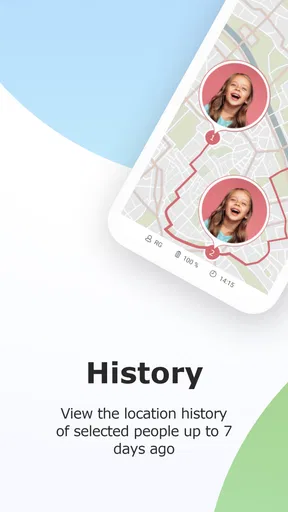
Family Locator - Locator 24 offers several key features, including real-time location tracking, the ability to create custom zones with alerts, and a panic button for emergencies. It also includes location history, allowing users to view past movements. The app supports both Android and iOS devices, making it versatile for families with different smartphones.
Are there any costs associated with using Family Locator - Locator 24?
Family Locator - Locator 24 is available as a free download, but it offers in-app purchases and subscription options for access to premium features. These may include enhanced location history, additional alert customization, and ad-free usage. Users can choose the free version or upgrade to a paid plan based on their needs and preferences.
Can Family Locator - Locator 24 drain my phone's battery quickly?
While using GPS can impact battery life, Family Locator - Locator 24 is optimized to minimize battery consumption. The app uses efficient algorithms to update location data without significantly draining the battery. Users can manage settings to reduce updates or restrict background usage to save power, ensuring a balance between functionality and battery life.


